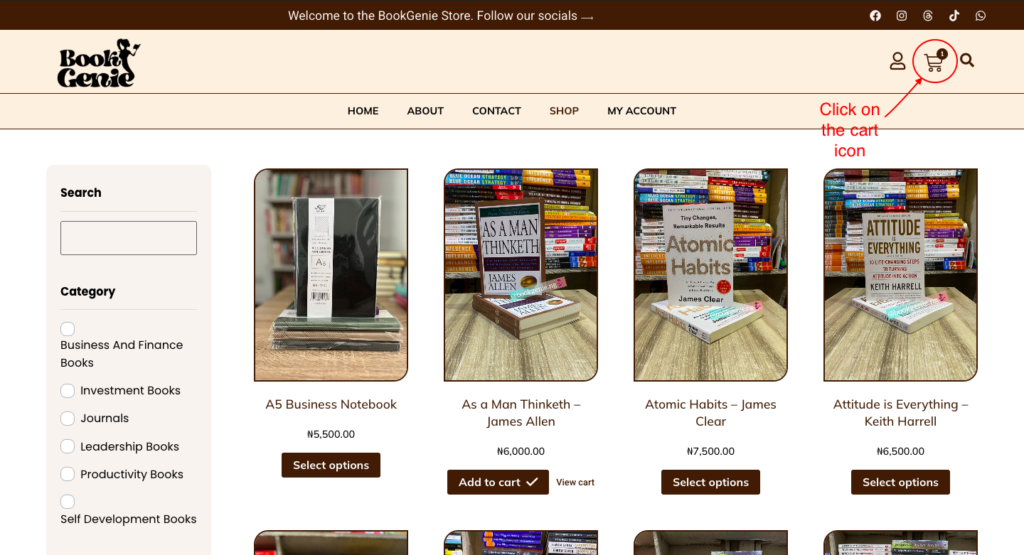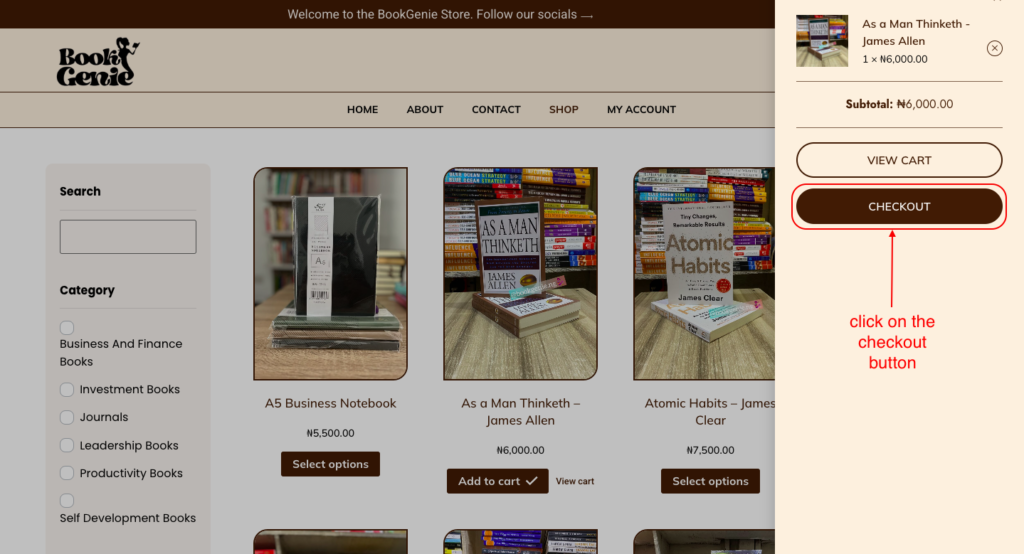

If you’re confused on how to place your order, Shopping with us is actually quick and easy! Follow these simple steps to place your order:
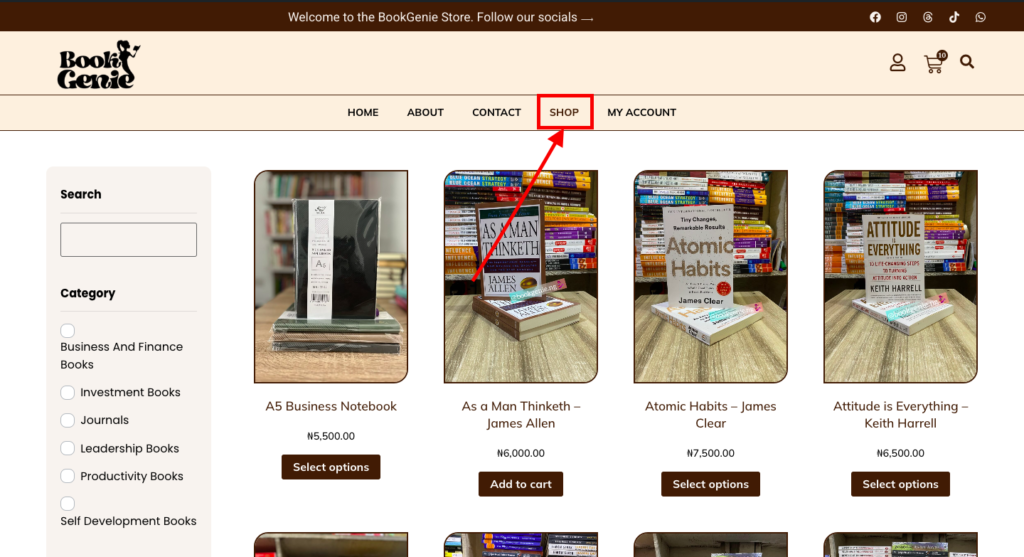
1. Browse Our Products (Visit Shop Page)
- Explore our wide range of books, journals, and other stationeries by visiting our Shop page.
- Use the search bar or category filters to find exactly what you need.

2. Select a Product.
When you’re in the shop, you can choose to click on any product you like to view a brief description about it or just add it to cart right away.
- Click on the product you want to purchase.
- A product having the “select options” button means you can choose the type (e.g., Hardcover, eBook) or size/color if applicable.
- Check the product details, pricing, and availability.
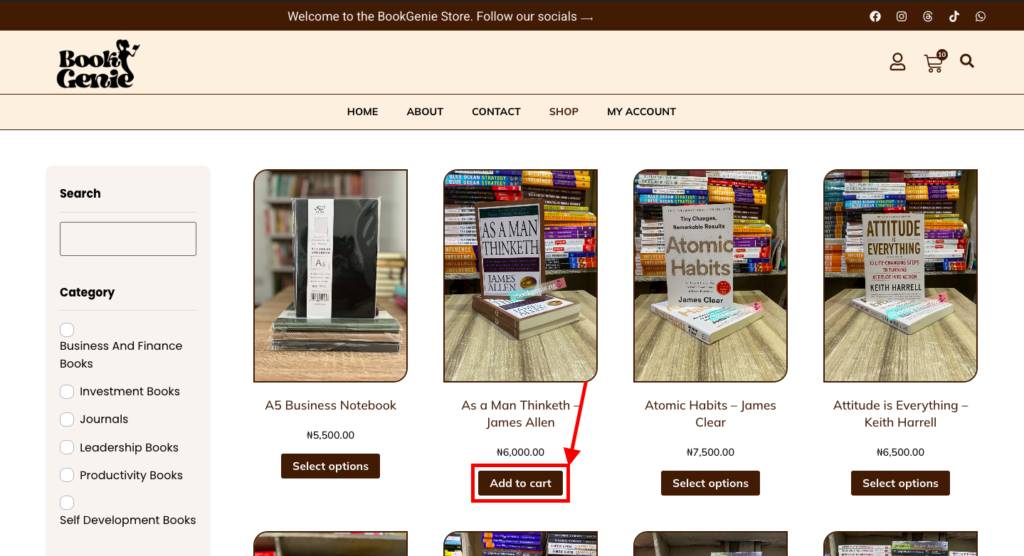
3. Add to Cart
- Click the “Add to Cart” button to place your selected item in your shopping cart.
- If you want to continue shopping, repeat the process for other items.
- When you’re ready, click the Cart icon at the top of the page to review your order.


4. Proceed to Checkout
- Click “Checkout” directly from the cart menu or if you view cart, click proceed to checkout from the page when you’re ready.

5. Fill in your info & Choose a Payment Method
In the checkout page, you are to Fill in your billing and shipping details. You have the option to make your choice of shipping and payment. We offer secure payment options, including:
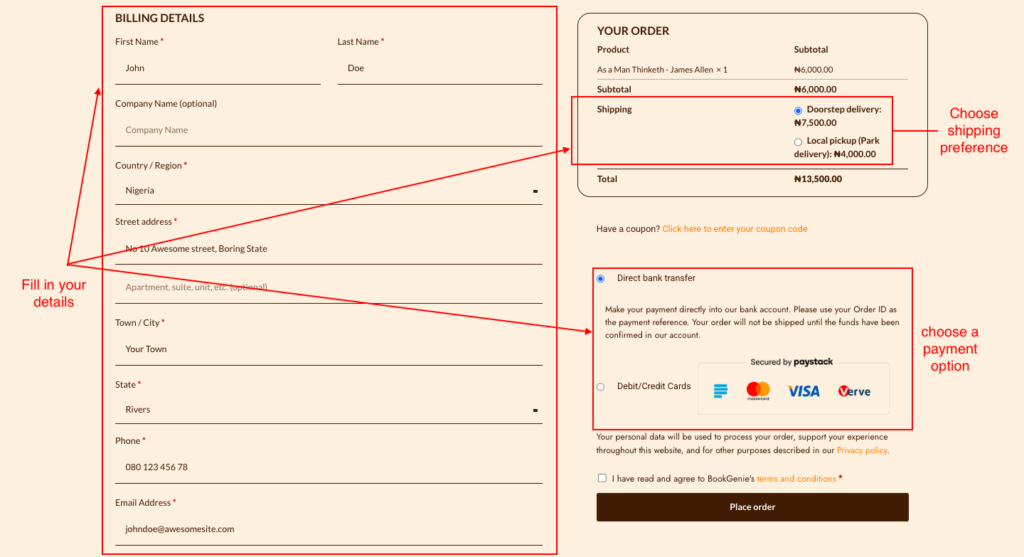
- Credit/Debit Cards (We don’t store any card information on our website)
- Paystack
- Bank Transfer

6. Place Your Order
- Review your order summary to ensure all details are correct.
- Click “Place Order” to finalize your purchase.
7. Order Confirmation
- If your order is confirmed, you’ll receive a confirmation with your order details.
- If you ordered an eBook ordigital product, you’ll receive a download link.
8. Shipping & Delivery
- Physical products will be shipped within 1 to 2 business days, depending on your location.